Move as one.
Most companies keep their teams, their tasks, their documents and their goals in separate tools. WorkTree keeps them in one model, so a change in one shows up in the rest.
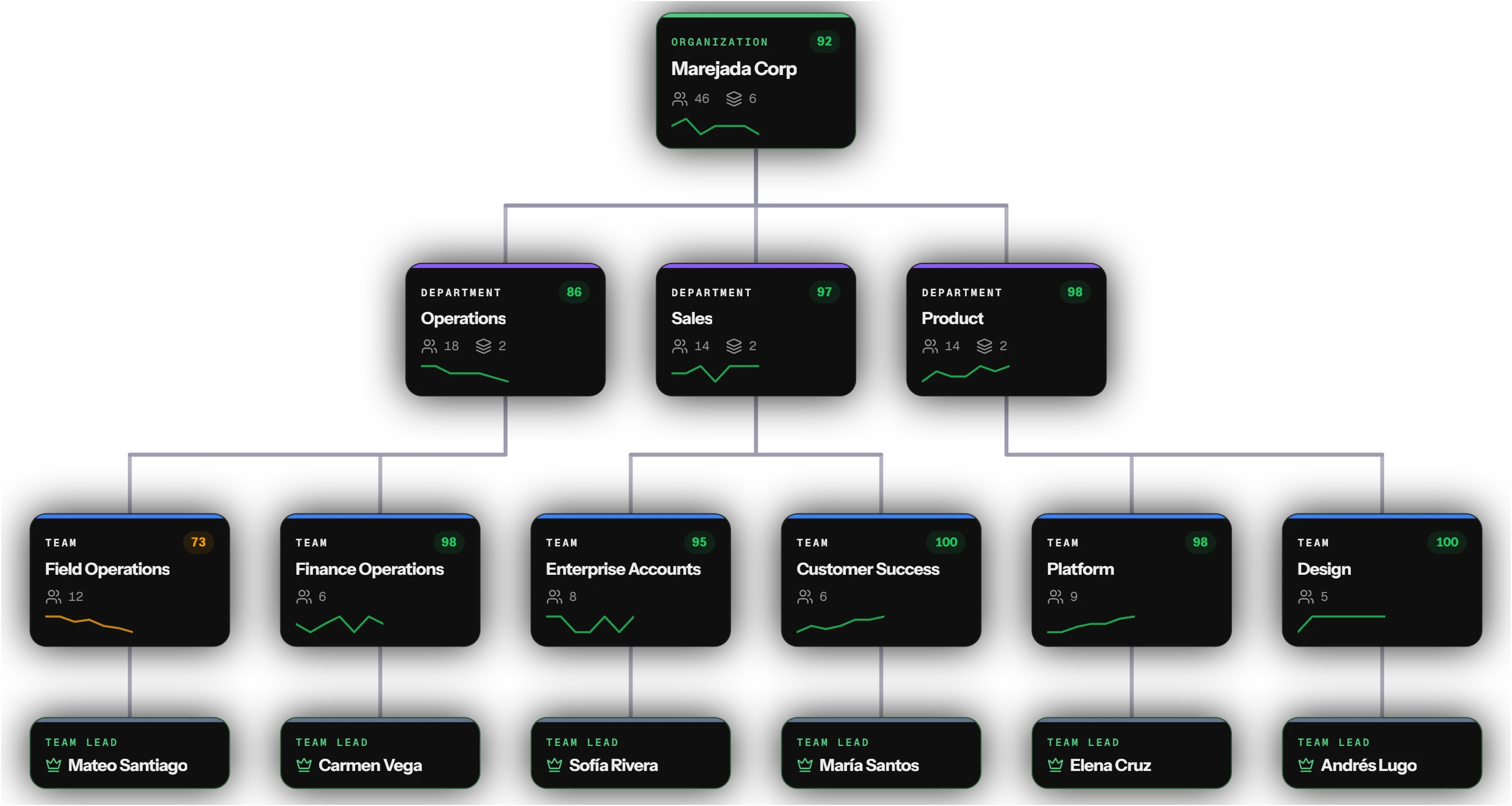
Speed in a company is set by how fast information reaches the person who needs it. WorkTree makes that the system's job, so it works the same on one floor or across every office.
Finding out what happened is now the software's job.
WorkTree reads work as it is submitted and writes the recap. From the recap it proposes the next task, and a manager accepts or dismisses it. Nothing is assigned until a person says so.
- 01 SubmittedQ3 vendor review.pdfMateo Santiago · Operations
- 02 Recap
- Two vendors missed delivery windows
- Isla Freight contract ends Nov 30
- Renewal needs Finance sign-off
- 03 Briefing
Tomorrow, 7:00
In 3 briefings - 04 Suggested task
Start Isla Freight renewal
Diego MarreroDismissAccept
A manager accepts or dismisses each suggestion.
Work waits on whoever is carrying the most.
In most companies a few people hold up more than their share, and nobody can see who they are. WorkTree shows each person's load for the week next to the people waiting on them.
Owns
- Vendor review, Q3On track
- Warehouse moveOn track
- Isla Freight renewalDue Friday
Waiting on Mateo
- Delivery dates for Sales3 days
- Invoice approval1 day
Nobody should have to ask for a status update.
Each morning WorkTree writes a briefing for every person from the work recorded the day before. It covers what moved and what is waiting on you, and every line links to its source.
It starts from the work that was recorded the day before.
Each morning WorkTree writes a briefing for every person.
Every line of the briefing links back to its source.
Every goal is tied to the work that moves it.
When a number slips, WorkTree shows the project behind it and the person who has room to take it on. You reassign from the same screen.
An email becomes a task without anyone retyping it.
Connect your Outlook mailbox and read your mail in WorkTree. Ask for a summary of any message, then turn it into a task with the details filled in. Nothing is summarized until you ask.
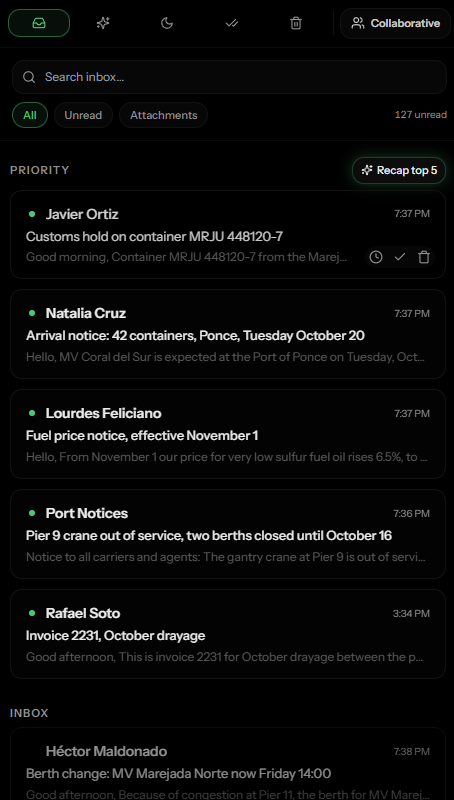
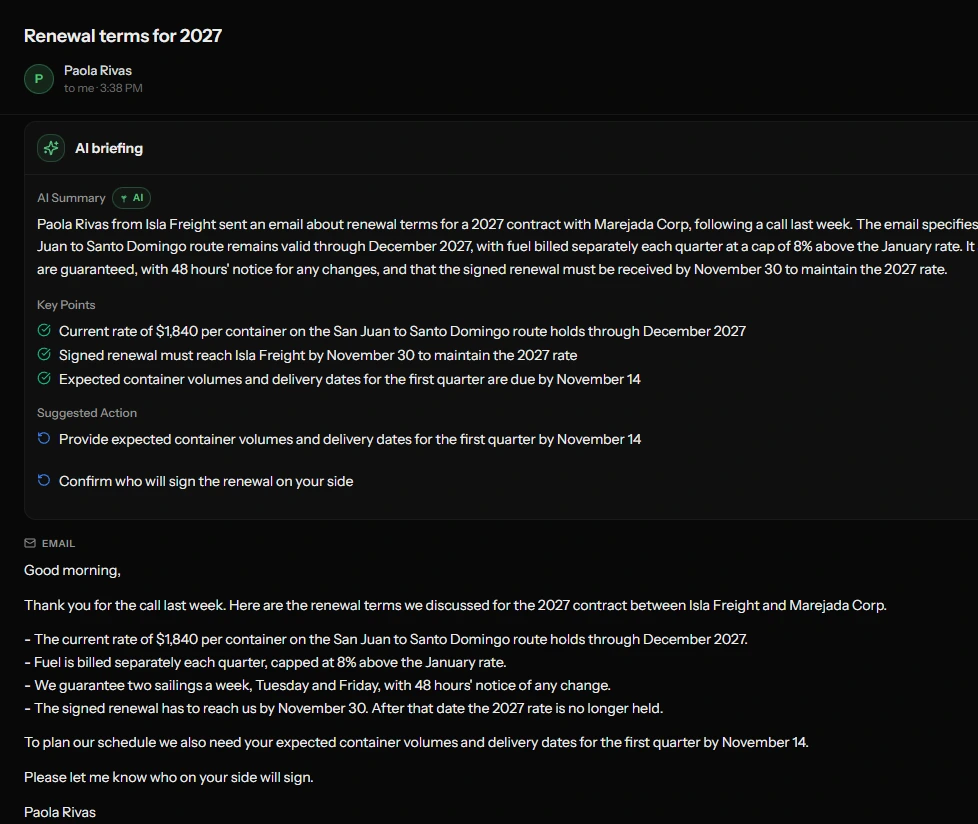
The executive and the newest hire work from the same record.
What each person sees follows their place in the structure: their own work for an employee, every department for an executive. Nobody keeps a second copy.
Sees their own tasks for the day and the projects they belong to.
Sees each person on the team, the load they carry and the team's health.
Sees every department's projects and goals, with progress and status.
- Deployment
Our team sets up your structure with you and stays through the rollout, one department after another.
- Access
Access is set by role and by team. Change a person's role and what they can see changes with it.
- AI
The AI drafts. Nothing it writes becomes an assignment until a person approves it.
Book a demo and we will walk you through it, then set it up with you one department at a time.